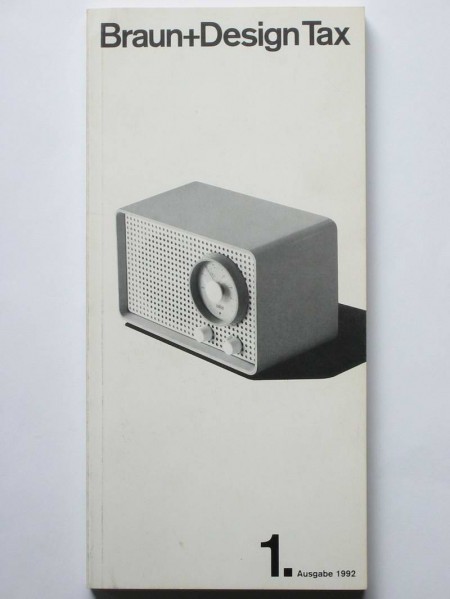
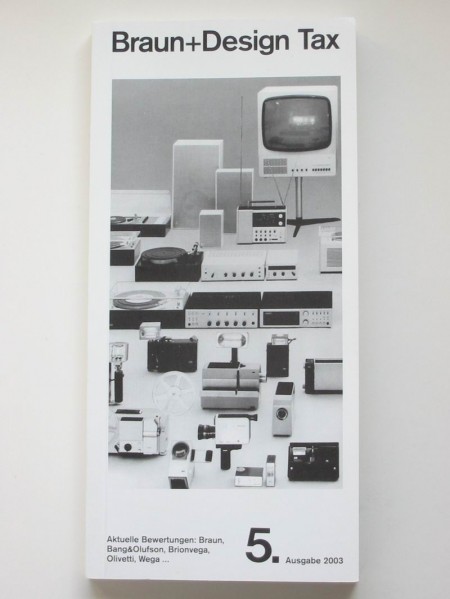
Some very nice vintage Braun Catalogues from Thimet. Looks like Braun’s influence on Apple extends beyond just hardware; I’m pretty sure that last one came with my Macbook. The site also has some great shots of classic Braun calculators (bottom of page) —one of which you will recognize if you’ve ever used the iPhone calculator. My favorite will always be the ET11 though, which clearly influenced the Omron 86R’s design.
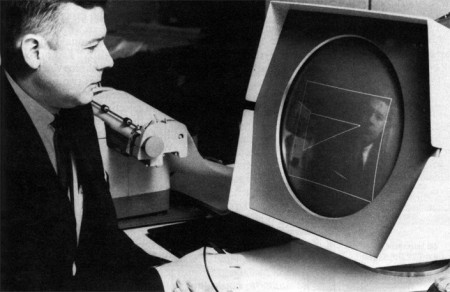
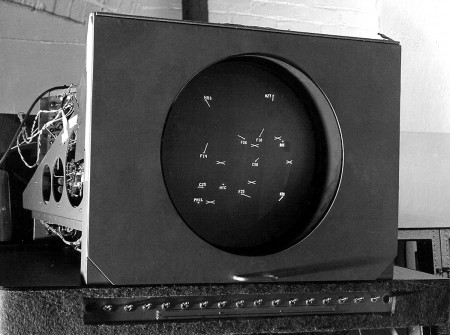
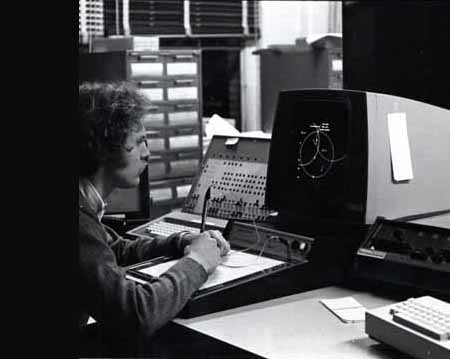
Dusty sent me this video the other day and a quick image search yielded some pretty interesting stuff. It’s incredible to see the Sketchpad system in action; remember it’s 1963 and this is basically Illustrator or AutoCAD 0.01a. Here’s the video description:
“Alan Kay presenting Ivan Sutherland’s Sketchpad, one of most influential programs in the history of graphical user interfaces.”
I love when the narrator says that light pens have since been discovered to be terrible input devices, leaving your hand numb. The funny thing is that the first mouse was invented the same year that Sutherland developed the Sketchpad system. It’s crazy that our primary input device is still the mouse, that’s almost a 50 year run. In computer time that’s just too long and I want my Minority Report screen asap. Although I often wonder if a big touch screen would really be that great. The fact that Microsoft seems to be the front runner in the field (multi-touch) doesn’t bode well for it either.
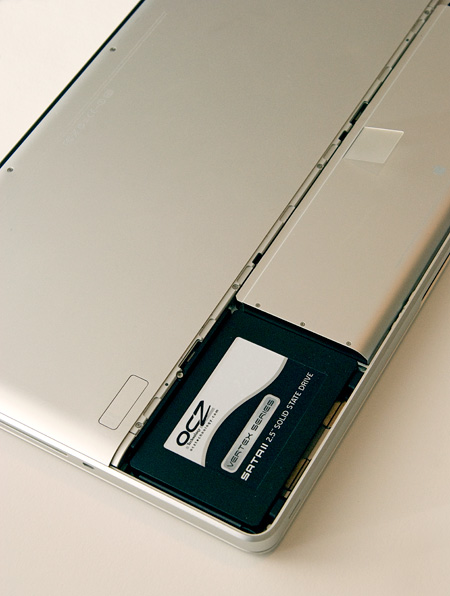
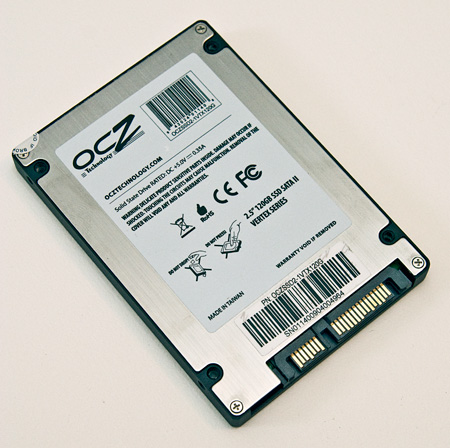
After all my recent hyping of SSD’s (Solid State Drives) I thought it was time to jump in and try one out first hand so I went downtown to Central Computers this afternoon and got an OCZ Vertex 120. I decided to post up my initial reactions and findings after dropping the Vertex into a Macbook Pro Unibody and installing OS X today. If you’re not really a technical person, still have a quick read through the numbers at the bottom because if you use a computer for anything creative (or for anything at all actually) and are looking to significantly boost performance, SSDs should be on your radar. If you have no clue what an SSD is, here’s a brief primer from an earlier post.
After a lot of research on the various SSD manufacturers I came to the conclusion that OCZ’s drives have the best performance/quality-to-dollar ratio. I went with their Vertex 120 drive not only because it’s very fast, but also because it uses the Indilinx Barefoot controller. The concept of an SSD controller may seem a bit esoteric, but it’s very important at this relatively early stage in the development of SSD technology. Inherent to all SSD drives is a tendency to build up “garbage” which can slow performance over time (if you want to know more about SSD “garbage”, read this). The Indilinx controller has a built in mechanism to deal with this garbage and keep the drive running at optimal speeds. The garbage collection runs while the drive is idle and is completely transparent to the OS or user. This capability makes the OCZ Vertex and other drives that run the Indilinx firmware arguably the most advanced SSD’s available at this time. Only firmware 1.30 and up supports this feature but luckily the Indilinx controller supports updates. The drive I bought came with firmware 1.10 but I was able to flash it to the latest 1.30 with relatively little hassle. Apparently all new Vertex drives are shipping with 1.30 stock; mine must have been a couple months old. Here’s the method I used to update the firmware: Bootable Free-DOS for Mac ISO w/ 1.30 FW update.
While the Vertex 120 is not by any means cheap ($389 for 120GB), it is much less expensive than many comparable drives from other manufacturers. It’s the first I’ve seen that offers this kind of performance for anywhere near this price. Of course, 120GB isn’t a lot of room, so you’re going to sacrifice storage space for the speed unless you want to put up the $720 for a 250GB model. I’m not too concerned with that as I’m using the Vertex for my MacBook Pro and I don’t store most of my media and large files on there. I typically use it for live shows where I just need very high read speeds and about 20GB of space. If you’re using a desktop computer, you could alternatively keep your large standard drive and use an SSD as the OS drive.
Bare drive - same form factor as a normal 2.5\
So I opened up the MacBook Pro and swapped out the old drive for the new SSD. This was very easy on the new unibody MBP and only took a few minutes. I then did a fresh install of OS X and booted up. Even after all the hype about SSD performance I was still amazed by the marked improvement in overall system performance I experienced. I could go into the minutiae of interacting with OS X running on the SSD, but suffices to say it is incredibly quick and surprisingly enjoyable.
So, on to the numbers: I did some really basic measurements to gauge the basic performance of the new drive and compared them to the original drive that came with the MBP. First I timed how long it took from power on to login screen. I chose this method so that the amount of startup items and installed apps on either particular machine wouldn’t effect the time.
Power On to Login Screen – MacBook Pro OS X With standard drive: 75 seconds
With Vertex SSD: 28 seconds
The boot time for the SSD was nearly triple the speed of the standard drive. But this doesn’t tell the whole story, boot times are dependent on a lot more than raw hard drive speed so even though the difference is impressive, it’s still not telling of how fast this drive really is. For that we need hard numbers. I used the free Xbench to measure the drive speeds and give a better picture of the wide chasm that separates these two drives.
Original Drive Scores (Stock Mac Hitachi 320GB) Overall Score: 34.13
As you can see, the SSD destroyed the standard drive in every conceivable way. The speeds I am seeing are nearly comparable to my RAID0 system which has 3 drives and a highpoint controller and cost me over double the amount I paid for the Vertex SSD. Throw in the fact that the Vertex uses hardly any power (great for notebook battery life) and has no moving parts to break down and you’re looking at a bargain. If you’re looking for a way to speed your rig up I highly advise looking into getting a SSD. Just keep in mind that SSD is a very nascent technology in the grand scheme of computing. If you don’t really need a drive now I would hold off a little and wait for the industry to develop. Prices have been falling very steeply while performance and disk space has steadily increased. If there’s one thing that consumer computer technology has taught us it’s that this trend will most definitely continue until SSD drives become the norm.
If anybody currently has an SSD let us all know your experiences in the comments.
Canon 5D MKII capturing the NYC 4th show by Mike Kobal (24-70mm at 2.8 at ISO 2000). Once again, the MKII delivers amazing video quality. Still waiting for Nikon’s answer before I take the plunge though. There are some more 5D MKII video examples over at Kobal’s Blog.
By the way, did anybody else happen to catch the San Francisco fireworks “show”? This puts it to shame and then some. I’ve seen better displays at Dolores Park (before they started parking that mobile command station RV out there and ruining it for everyone).
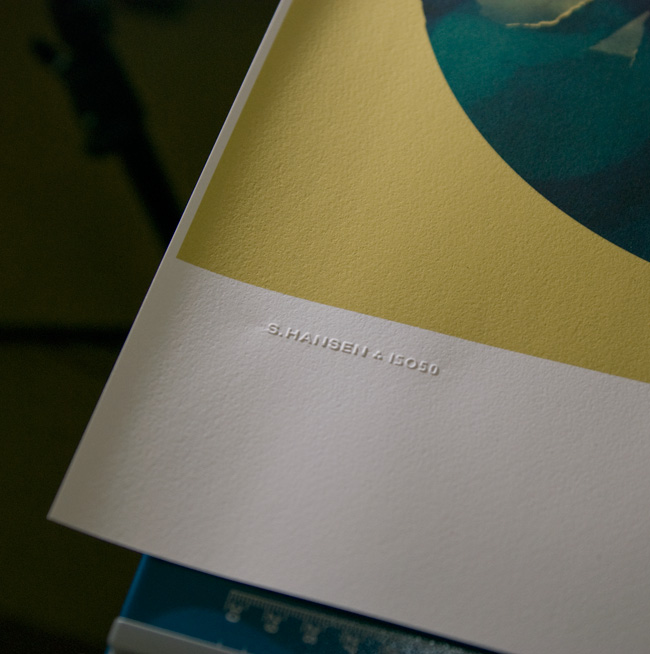
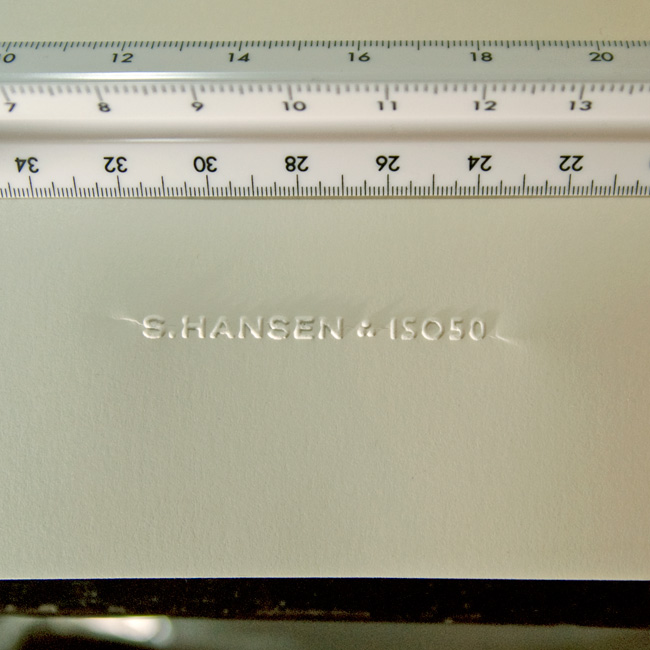
I’ve always loved official stamps and seals; as a kid I used my dad’s Civil Engineer’s certification stamp to make official looking paperwork and IDs for fun. I was looking for a way to add something like that to the upcoming Giclee line I’ve been working on but I rulled out rubber stamps as I wanted something a bit more subtle. So I recently started looking in to getting a paper embosser made with my signature logo. I was pretty surprised by how easy it was and how great the results are. The pictures don’t really do it justice, but you get the idea. The stamp can be embossed or debossed and it really adds a nice crafted touch to a project. It’s so fun I’ve started just embossing everything around the house; just cool to see the thing work.
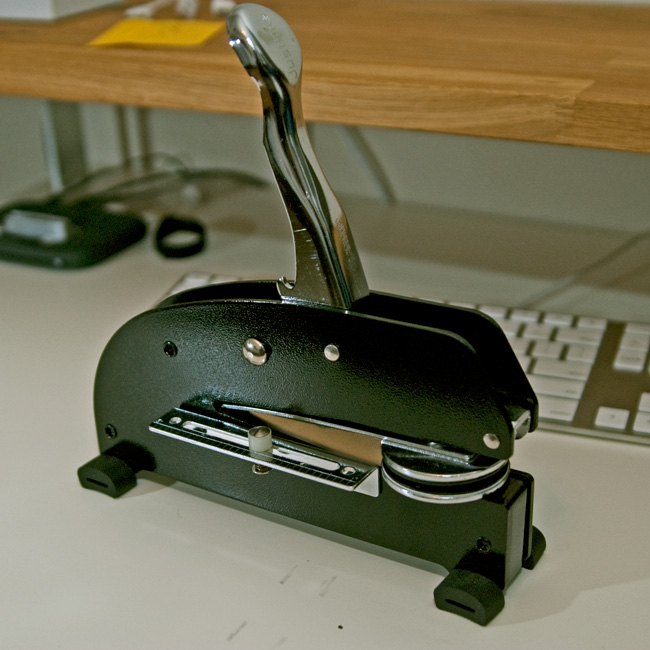
The main cost is the press which runs about $200 (seems steep for what looks like a glorified stapler). The dies themselves — the circular part that hold the custom design — are included in this initial cost and are interchangeable. The only issue I’ve run into is with creasing at the edges. Depending on how you stamp it there will be moderate (first photo) to severe (second photo) creasing toward the edges. I am working with the vendor to fix this and depending on the technique I am able to minimize the effect. This may just be an artifact of this particular stamp as most are circular seal designs that fill the entire die, but I’m waiting until I can get it to be almost invisible. To be fair though, the flash is really exaggerating the effect in both shots, the creases really aren’t that noticeable in normal light.
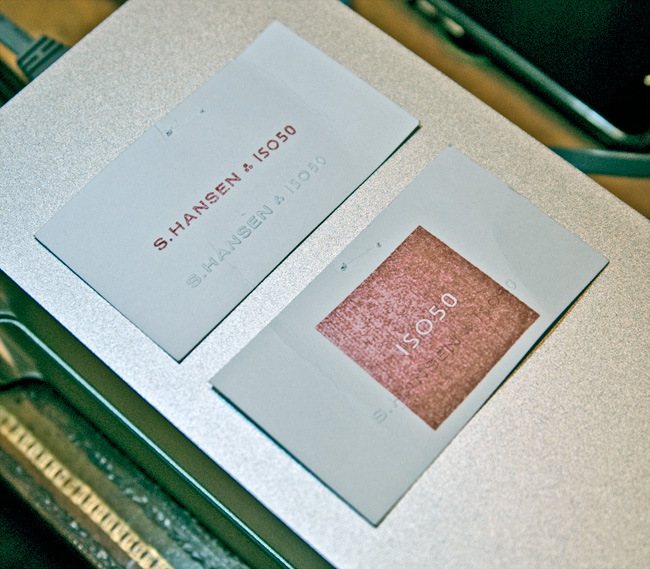
Another fun — and far cheaper — alternative is rubber stamps (see third pic). I had a couple made by the same people and it’s been fun blasting those all over everything. But I was thinking the embosser in particular would be a really good buy for design students wanting to add a little extra something to their projects and also to mark their text books. It really has that old school real-world graphic design feel.
The unit pictured above is a heavy duty desk press from Made to Order Stamp and Seal out of New Mexico. We tried some local vendors initially, but the customer service of Made to Order was much better. They really work with you to determine the best option for your needs, and can turn around a custom job within a week. Highly recommended.
So I picked up some Nikon flashes last week and have been having a lot of fun with them. I got the SB-900 and its little brother, the SB-600. I’ve been running the 900 attached to the camera (D80) and have the 600 as a remote slave using Nikon CLS. Using the multiple flash setup has yielded some really great results (see this post for some examples) but even with just one flash attached directly to the camera I’ve found it’s pretty easy to get great shots.
Just thought I’d post some random shots I got playing around to illustrate how easy it is to get decent stuff using a good flash. I didn’t do all the post-processing stuff I usually do so you could see the raw output (save for the first one which I color filtered inside the camera). These were all shot with NEF RAW in adverse lighting conditions, most in very low incandescent light. As you can see, just the single flash was enough to fully light the scene and balance the color. If memory serves correct they were all taken with the SB-600 attached the camera. Also check out Alex’s post on the SB-600 for some other examples. As I work with the flashes more this week I will post more examples and info.
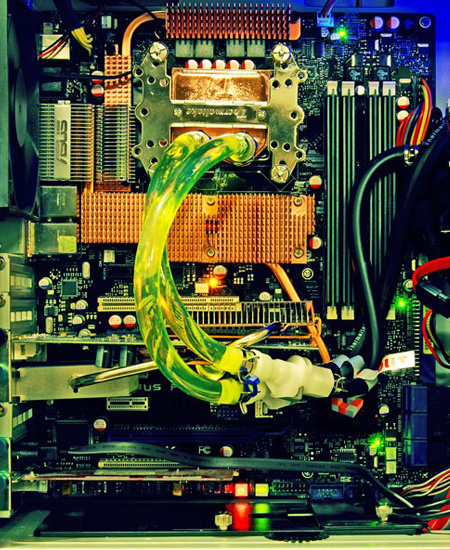
I’m looking for someone with detailed knowledge of overclocking Intel systems to help tweak a production system in the studio. It’s running an Intel Core 2 Extreme QX9650 CPU (liquid cooled) on an Asus Maximus Formula Mobo with Patriot 8GB DDR2 PC8500 1066MHz memory (detailed specs here). If you or anyone you know can help overclock this machine please contact talk [@] iso50 [dot] com with the word “overclock” in the subject. Location is not an issue, we can handle it over the phone or video if need be. Please include a cost estimate in your email.
I’ve had the machine overclocked in the past, but it was never as stable as I needed and I wasn’t able to get the memory running as fast as I wanted so I’m hoping someone can step up and sort it all out.
If you follow the blog you’ll know that I’ve touched on the subject of SSDs before. A quick primer for the uninitiated: an SSD (solid state drive) is a storage device that uses solid state memory (As in no moving parts, other examples include RAM and flash memory) and so it can access data much faster than the mechanical head/platter drives most people use now and with no moving parts, data loss due to mechanical failure is a thing of the past. The promise of SSD is huge and as they become commonplace they will no doubt revolutionize the way we work (think Photoshop swap disks that read and write @ 1400MB/s or computers that boot in 5 seconds). Because I work with such large raster files, swap disk performance in particular is a very big issue for me so I keep a close eye on the SSD market, waiting for the moment when the price to performance ratio hits the sweet spot. Right now most SSD technology is still on the pricey side and there are a few technical issues that are still being sorted out (write endurance supposedly being one of them) so I haven’t jumped in just yet. But as things change I will continue to post updates on the SSD situation.
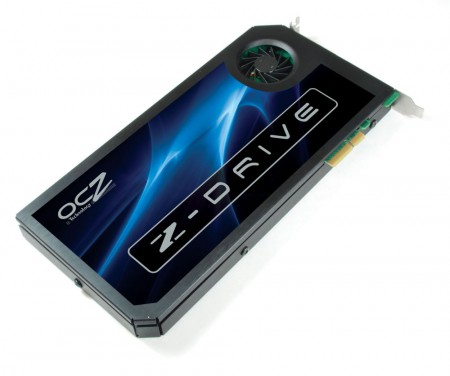
For the first installment I thought I’d post on the very interesting OCZ Z-Drive. It’s insanely expensive right now, but as we all know, those prices drop pretty fast as the tech matures (remember $800 DVD writers?). The Z-Drive is basically 4 SSD drives in a RAID 0 array on a PCI-Express card. This is a novel concept; by using the PCI-Express bus OCZ has sidestepped the bottleneck of the SATA controllers allowing huge throughput in both directions. Boasting 700MB/s write speeds, the Z-Drive is certainly no slouch, but considering the price (they start at $1500!!) I’m holding out for more. I think the magic number for me would be 1000MB/s for around $500. This would make a perfect solution for Photoshop swap disks and other applications that require massive read/write throughput (video render disks etc.) and while it doesn’t make sense for me right now, it’s great to see this emerging technology headed in the right direction.